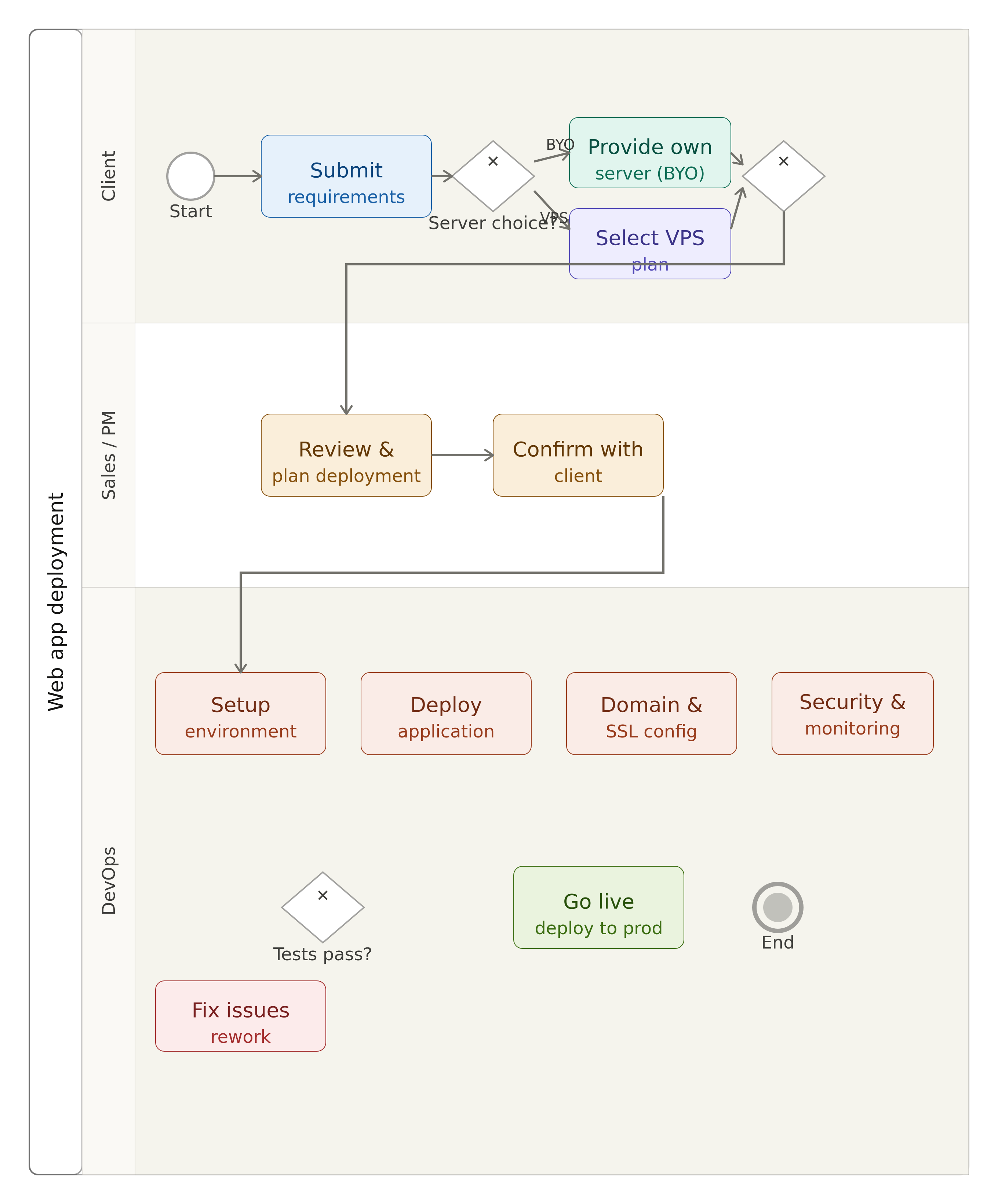
Web Application Deployment Service
Our web application deployment service allows clients to host and run their applications in a scalable and reliable environment. We support flexible deployment options depending on the client’s infrastructure preference.
Clients can either:
- Use their own server (bring your own infrastructure)
- Or choose a managed VPS from our cloud infrastructure
This flexibility ensures that every client can deploy their application according to their technical and budget requirements.
🚀 Deployment Options
1. 🖥️ Client Own Server (BYO Server)
If the client already has a server, we deploy the application directly on their infrastructure.
We handle:
- ⚙️ Application setup and configuration
- 🐳 Dockerization (if required)
- 🔐 SSL and domain configuration
- 🔄 CI/CD setup (Git-based deployment)
- 📦 Database configuration
- 📊 Basic monitoring setup
✔ Best for clients who already have infrastructure
✔ Full control over hosting environment
2. ☁️ Managed VPS (Our Infrastructure)
If the client does not have a server, they can choose one of our VPS plans.
We provide:
- 🖥️ Fully managed VPS hosting
- ⚙️ Pre-configured environment for deployment
- 🔐 SSL + DNS setup
- 📦 Scalable resources depending on plan
- 🔄 Automated deployment pipeline
- 📊 Monitoring & backups
✔ Best for clients who want a ready-to-use solution
✔ No server management required
📦 Available VPS Plans
We offer multiple VPS tiers depending on project size:
- Basic VPS → small applications, starter projects
- Pro VPS → medium workloads, multiple services
- Premium VPS → high traffic applications, production systems
⚙️ Deployment Workflow
-
Client Selection
- Choose: Own server or Managed VPS
-
Environment Setup
- Install dependencies (Docker, runtime, DB, etc.)
- Configure server environment
-
Application Deployment
- Pull source code or upload build
- Configure environment variables
-
Domain & SSL
- Configure domain name
- Enable HTTPS (SSL certificate)
-
Go Live
- Application is deployed and accessible online
🔐 Security & Reliability
- HTTPS encryption by default
- Isolated environments per client
- Firewall and access control (VPS option)
- Regular updates and patches